Hey everyone, I’m Sarah from a cable assemblies and accessories supplier, and let’s be real—picking the right connector for your cable assembly can feel like navigating a maze, right? I’ve been doing this for 12 years, and I still get calls from folks who grabbed the first connector they saw online, only to find it doesn’t fit their setup or craps out after a week. So today, I’m breaking this down like we’re chatting over a coffee, no stuffy jargon, just what actually works when you’re sourcing for your next project. Cable Assemblies & Accessories
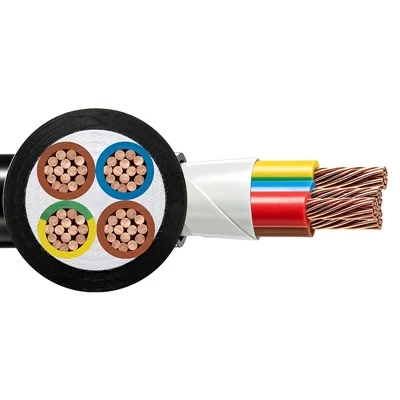
First off, stop skipping the basics. I know, it sounds boring, but the first rule of connector choosing is figuring out what your cable assembly is even going to do. Are you building a laptop charger that gets tossed in a bag every day? Or a industrial sensor cable that hangs outside in the rain? That difference alone changes everything. Let’s start with the two big no-brainers: environment and usage. If your assembly’s gonna live outdoors, you can’t use a cheap unshielded plastic connector—you need something with a metal shell and IP67 rating, period. Last quarter, a client of mine tried using a standard USB-A connector for a outdoor LED strip assembly, and within two weeks, moisture had corroded the pins, killing the whole system. They ended up coming back to us for IP65-rated connectors, and it’s been smooth sailing since. For indoor stuff? Like a desktop gaming PC’s internal cable? You can go for lower-cost options, just make sure the pins are gold-plated—they don’t tarnish as fast as tin, so less headphone static or hard drive dropouts.
Next, don’t sleep on signal vs. power. This is where a lot of new people mess up. If you’re doing a high-speed data cable—like Thunderbolt, HDMI 2.1, or Ethernet for a server—you need a connector that’s designed for that speed. A regular audio connector won’t cut it here; it’ll cause signal loss, blurry video, or lag that makes remote work impossible. For power cables? Like a motor or a power tool, you’ve got to check the current rating. If you use a 2A connector for a device that pulls 5A, you’re looking at overheating, melted plastic, and even fire risks. I had a small fabrication shop reach out to me last year because their new CNC machine kept tripping the breaker. Turned out they’d used a 10A connector for a 15A power cable—no wonder it was overloading. We swapped them for 20A heavy-duty connectors, and that problem was gone in 24 hours. Pro tip: always leave a little headroom on the current and speed ratings. Don’t run a connector at 100% capacity every time—give it 10-15% extra, and it’ll last way longer.
Then there’s fit and compatibility. This isn’t just “does it plug into the device?” It’s about physical size too. If you’re building a cable assembly for a tight space—like inside a smartwatch or a drone—you can’t use a bulky D-sub connector that takes up half the internal room. You need micro connectors, like Molex Micro-Fit or JST GH, that are tiny but tough. Another thing: mating cycles. How many times are you gonna plug and unplug this cable? For a headphone jack that gets pulled in and out of a phone every day, you need a connector with at least 5,000 mating cycles. For a fixed setup, like a CCTV cable that’s never moved, you can get away with 1,000, but think ahead—if you might need to replace the cable later, spring for the higher cycle count. I always tell clients, “If you’re unsure about mating cycles, guess you’ll plug it more than once, go higher.” It’s better to overbuy than regret it later.
Shielding is another big one, and I swear I still get calls about this. If your cable’s going near other electronics—like in a server rack, near power lines, or even next to a Wi-Fi router—you need a shielded connector to stop signal interference. Unshielded connectors work fine for simple, low-signal stuff, but if you’re running a 4K HDMI cable next to a bunch of other cables, unshielded will give you that annoying pixelation or audio hum. The two main shielding types are braid and foil. Braid is more durable, good for rough environments like factory floors. Foil is thinner, better for tight spaces where you can’t have bulky braid. Don’t mix them up either—don’t use a foil shield for a outdoor cable, it’ll get punctured by UV or debris in no time.
Wait, let’s talk about cost, because I know that’s a factor for everyone. I’m not gonna sit here and tell you to buy the most expensive connector out there, but I will warn you: cheap connectors almost always cost more in the long run. That $0.50 connector might save you a buck now, but if it fails in six months, you’ve got to pull the whole cable assembly, replace it, and deal with downtime—That’s way more than the extra $0.20 per connector would’ve cost. That said, you don’t need to go premium for every job. For a internal cable in a desktop PC, a mid-range connector works perfect. For a medical device, though, you can’t skimp—you need connectors that are FDA-approved, no cutting corners there. I’ve turned down clients who wanted super cheap connectors for medical assemblies, and it’s never a regret. It’s not worth the liability.
Also, don’t forget about termination. The connector is only as good as how you attach it to the cable. Crimping is the most common method, but you have to use the right crimp tool for your connector. If you use a generic crimp tool, you might not get a tight enough connection, and that’ll cause signal loss or the wire to come loose. Soldering is another option, but it’s more time-consuming, and for high-volume assemblies, crimping is way faster and more consistent. I always recommend to clients: if you’re doing low-volume, custom assemblies, soldering works, but if you’re making 100+ of the same cable, invest in the right crimp tool and dies. It’ll save you hours of work and way fewer defects.
Let me wrap this up with a quick checklist you can save for next time you’re choosing a connector. 1. What’s the environment? (Indoor/outdoor, wet/dry, rough/smooth?) 2. Is this for signal or power? What are the speed/current ratings? 3. What’s the physical size and mating cycles I need? 4. Do I need shielding? 5. What’s my budget, and does it match the job? 6. Don’t skip termination—use the right tool for the job.
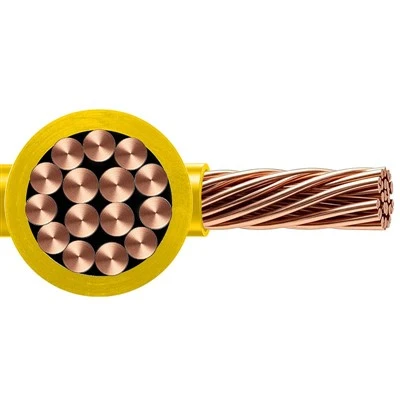
At the end of the day, choosing the right connector for your cable assembly doesn’t have to be a headache. If you’re still stuck—whether you’re building a one-off prototype for a startup, a industrial assembly for a factory, or something in between—hit me up to chat through your project. I’ve got 12 years of hands-on experience with all kinds of connectors, and I’ll help you pick something that works for your needs and your budget, no pressure, no confusing sales pitches.
Power Cable Low Voltage References:
- IPC-HDWG-4761, Design Guide for Cable Assemblies and Connectors, Association Connecting Electronics Industries
- UL 1977, Standard for Safety for Connectors for Use in Electrical Equipment and Appliances, Underwriters Laboratories Inc.
- Molex Connector Corporation, "Micro Connector Selection Guide," 2023
- TE Connectivity, "Environmental Rating Standards for Connectors," 2022
Yangzhou Huayu Cable Co., Ltd.
Yangzhou Huayu Cable Co., Ltd. is one of the most professional cable assemblies & accessories manufacturers and suppliers in China, also supports customized service with low price. Please feel free to wholesale advanced cable assemblies & accessories made in China here from our factory. Contact us for pricelist.
Address: No.9 Jingang Road, Yangzhou City, Jiangsu Province, China
E-mail: info@huayucabletech.com
WebSite: https://www.huayucabletech.com/
